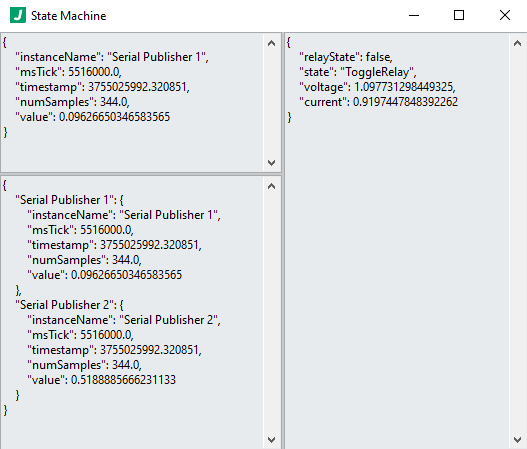
ROOT object
This top level object holds all configuration information for this plugin.
Required: true
Default: (not specified; see any element defaults within)
subscribesTo array
An array of plugin instance names corresponding to plugin instances which will be subscribed to by this plugin instance.
Required: true
subscribesTo[n] string
A plugin instance name (corresponding to a plugin you wish to subscribe to) or a topic published by the worker (ex. __PLUGIN_INFO__).
Required: false
Default: ""
options object
Configuration options specific to this plugin. Note that variables and expressions are generally allowed in this section.
Required: true
Default: (not specified; see any element defaults within)
options.messageSourceKeyNames array
An array of key names to look for when inspecting incoming messages for merge. The first element in this array found as a key name in the Latest Message will be used as the key under which that message will be placed in the Merged Messages object. If no key is found, the message will be placed under a key named "__UNKNOWN_SOURCE__".
Required: true
Default: [
"workerName",
"instanceName"
]
options.messageSourceKeyNames[n] string
A key name to look for when inspecting incoming messages for merge.
Required: false
Default: ""
options.enableDebugLogging boolean
Whether to enable debug logging which will log states (with computations completed) to the log files defined by the logger.
Required: true
Default: false
options.uiUpdatePeriod integer
The time between updates to the user interface.
Required: true
Default: 1000
options.customActions array
An array of custom action configuration objects.
Required: false
options.customActions[n] object
A custom action configuration object
Required: false
Default: (not specified; see any element defaults within)
options.customActions[n].name string
The name of the custom action which can be used in the state machine.
Required: true
Default: "MyCustomAction"
options.customActions[n].path string
The path to the custom action VI.
Required: true
Default: "C:\\path\\to\\custom\\action.vi"
options.machine object
An object defining the state machine.
Required: true
Default: {
"initialState": "Initialize",
"shutdownState": "Shutdown",
"states": {
"Initialize": {
"actions": [],
"nextState": "DoSomething"
},
"Shutdown": {
"actions": [],
"nextState": ""
}
}
}
options.machine.initialState string
The first state executed by the machine.
Required: true
Default: "Initialize"
options.machine.shutdownState string
The shutdown state executes.
Required: true
Default: "Shutdown"
options.machine.states object
An object containing states; keys are the state names and values are objects defining the state.
Required: true
Default: (not specified; see any element defaults within)
options.machine.states.{State Name} object
An object defining the behavior of a state.
Required: false
Default: (not specified; see any element defaults within)
options.machine.states.{State Name}.actions array
An array containing objects which define actions to execute.
Required: true
options.machine.states.{State Name}.actions[n] object
An object describing an action to perform.
Required: false
Default: (not specified; see any element defaults within)
options.machine.states.{State Name}.actions[n]::{Delay} object
Waits for a specified period of time in milliseconds.
Required: false
Default: (not specified; see any element defaults within)
options.machine.states.{State Name}.actions[n]::{Delay}.name enum (string)
The name of this action.
Required: true
Default: "Delay"
Enum Items: "Delay"
options.machine.states.{State Name}.actions[n]::{Delay}.enable booleanstring
Whether to enable execution of this action.
Required: true
Default: true
options.machine.states.{State Name}.actions[n]::{Delay}.settings object
An object containing settings for this action.
Required: true
Default: (not specified; see any element defaults within)
options.machine.states.{State Name}.actions[n]::{Delay}.settings.waitTime integerstring
The wait time in milliseconds.
Required: true
Default: 1000
options.machine.states.{State Name}.actions[n]::{Delay}.settings.waitUntilNextMsMultiple boolean
Whether to wait until the next millisecond multiple of the WaitTime to occur in the underlying millisecond timer. This could cause this action to wait less than the WaitTime, but no more than the WaitTime.
Required: true
Default: false
options.machine.states.{State Name}.actions[n]::{Delay}.returns object
Return computations which are computed into the VAR variable container and where the following variables are available: @RETURNS{TickCount}.
Required: true
Default: (not specified; see any element defaults within)
options.machine.states.{State Name}.actions[n]::{Delay}.returns.{Valid JSON Path} stringnumberbooleanarrayobjectnull
undefined
Required: false
Default: ""
options.machine.states.{State Name}.actions[n]::{Compute} object
Performs computations.
Required: false
Default: (not specified; see any element defaults within)
options.machine.states.{State Name}.actions[n]::{Compute}.name enum (string)
The name of this action.
Required: true
Default: "Compute"
Enum Items: "Compute"
options.machine.states.{State Name}.actions[n]::{Compute}.enable booleanstring
Whether to enable execution of this action.
Required: true
Default: true
options.machine.states.{State Name}.actions[n]::{Compute}.settings object
An object containing settings for this action.
Required: true
Default: (not specified; see any element defaults within)
options.machine.states.{State Name}.actions[n]::{Compute}.settings.computations array
An array containing objects which define computations to perform. Variable set here are put into an @VAR{} variable container which is accessible to computations. Computations also have access to an @SUB{} variable container with data from any subscriptions, where all incoming plugin subscription data is put under a primary key name equal to the plugin instance name. Note that these computations (and elsewhere in the state definition) my occur before some subscription data is available. Use approaches such as @SUB{IsDefined(myVar)} to ensure variables exist before using them meaningfully.
Required: true
options.machine.states.{State Name}.actions[n]::{Compute}.settings.computations[n] object
An object describing a set of computations to perform. Note that computations in the same object should not be dependent upon one another. Use separate objects in the computations array to guarantee the order in which computations are performed.
Required: false
Default: (not specified; see any element defaults within)
options.machine.states.{State Name}.actions[n]::{Compute}.settings.computations[n]::{Compute} object
Required: false
Default: (not specified; see any element defaults within)
options.machine.states.{State Name}.actions[n]::{Compute}.settings.computations[n]::{Compute}.enable booleanstring
Whether to enable / perform the computations specified in this object.
Required: true
Default: true
options.machine.states.{State Name}.actions[n]::{Compute}.settings.computations[n]::{Compute}.mode enum (string)
The mode to use when updating values.
Required: true
Default: "Merge"
Enum Items: "Merge" | "Upsert" | "Update Only" | "Append Only" | "Replace"
options.machine.states.{State Name}.actions[n]::{Compute}.settings.computations[n]::{Compute}.variables object
An object where keys define json paths to write and values are the value to write at the specified json path.
Required: true
Default: (not specified; see any element defaults within)
options.machine.states.{State Name}.actions[n]::{Compute}.settings.computations[n]::{Compute}.variables.{Valid JSON Set Path} stringnumberbooleanarrayobjectnull
undefined
Required: false
Default: ""
options.machine.states.{State Name}.actions[n]::{Compute}.settings.computations[n]::{Delete} object
Required: false
Default: (not specified; see any element defaults within)
options.machine.states.{State Name}.actions[n]::{Compute}.settings.computations[n]::{Delete}.enable booleanstring
Whether to enable / perform the deletions specified in this object.
Required: true
Default: true
options.machine.states.{State Name}.actions[n]::{Compute}.settings.computations[n]::{Delete}.mode enum (string)
The mode to apply for the operation.
Required: true
Default: "Delete"
Enum Items: "Delete"
options.machine.states.{State Name}.actions[n]::{Compute}.settings.computations[n]::{Delete}.container enum (string)
The container from which to delete the variable, either VAR or SUB.
Required: true
Default: "VAR"
Enum Items: "VAR" | "SUB"
options.machine.states.{State Name}.actions[n]::{Compute}.settings.computations[n]::{Delete}.variables array
An array of keys or paths to delete in the specified container.
Required: true
options.machine.states.{State Name}.actions[n]::{Compute}.settings.computations[n]::{Delete}.variables[n] string
The variable paths to delete from the specified container.
Required: false
Default: ""
options.machine.states.{State Name}.actions[n]::{Send Message To Plugin} object
Sends a message to a plugin instance specified as target.
Required: false
Default: (not specified; see any element defaults within)
options.machine.states.{State Name}.actions[n]::{Send Message To Plugin}.name enum (string)
The name of this action.
Required: true
Default: "Send Message To Plugin"
Enum Items: "Send Message To Plugin"
options.machine.states.{State Name}.actions[n]::{Send Message To Plugin}.enable booleanstring
Whether to enable execution of this action.
Required: true
Default: true
options.machine.states.{State Name}.actions[n]::{Send Message To Plugin}.settings object
An object containing settings for this action.
Required: true
Default: (not specified; see any element defaults within)
options.machine.states.{State Name}.actions[n]::{Send Message To Plugin}.settings.pluginInstance string
The name of the plugin instance to which to send the message.
Required: true
Default: ""
options.machine.states.{State Name}.actions[n]::{Send Message To Plugin}.settings.message stringnumberbooleanarrayobject
A message of any type supported by the plugin instance. See the JADE documentation for plugins and the framework for more information.
Required: true
options.machine.states.{State Name}.actions[n]::{Send Message To Supervisor} object
Sends a message to the supervisor.
Required: false
Default: (not specified; see any element defaults within)
options.machine.states.{State Name}.actions[n]::{Send Message To Supervisor}.name enum (string)
The name of this action.
Required: true
Default: "Send Message To Supervisor"
Enum Items: "Send Message To Supervisor"
options.machine.states.{State Name}.actions[n]::{Send Message To Supervisor}.enable booleanstring
Whether to enable execution of this action.
Required: true
Default: true
options.machine.states.{State Name}.actions[n]::{Send Message To Supervisor}.settings object
An object containing settings for this action.
Required: true
Default: (not specified; see any element defaults within)
options.machine.states.{State Name}.actions[n]::{Send Message To Supervisor}.settings.message object
A message supported by the Application Supervisor. See the JADE documentation for plugins and the framework for more information.
Required: true
Default: (not specified; see any element defaults within)
options.machine.states.{State Name}.actions[n]::{Send Message To Supervisor}.settings.message::{Instance Run} object
Runs a plugin instance.
Required: false
Default: (not specified; see any element defaults within)
options.machine.states.{State Name}.actions[n]::{Send Message To Supervisor}.settings.message::{Instance Run}.operation enum (string)
The operation for the Supervisor to execute.
Required: false
Default: "Instance Run"
Enum Items: "Instance Run"
options.machine.states.{State Name}.actions[n]::{Send Message To Supervisor}.settings.message::{Instance Run}.data object
Data for this operation
Required: false
Default: (not specified; see any element defaults within)
options.machine.states.{State Name}.actions[n]::{Send Message To Supervisor}.settings.message::{Instance Run}.data.InstanceName string
The plugin instance to run.
Required: true
Default: ""
options.machine.states.{State Name}.actions[n]::{Send Message To Supervisor}.settings.message::{Instance Shutdown} object
Shuts down a plugin instance.
Required: false
Default: (not specified; see any element defaults within)
options.machine.states.{State Name}.actions[n]::{Send Message To Supervisor}.settings.message::{Instance Shutdown}.operation enum (string)
The operation for the Supervisor to execute.
Required: false
Default: "Instance Shutdown"
Enum Items: "Instance Shutdown"
options.machine.states.{State Name}.actions[n]::{Send Message To Supervisor}.settings.message::{Instance Shutdown}.data object
Data for this operation
Required: false
Default: (not specified; see any element defaults within)
options.machine.states.{State Name}.actions[n]::{Send Message To Supervisor}.settings.message::{Instance Shutdown}.data.InstanceName string
The plugin instance to shut down.
Required: true
Default: ""
options.machine.states.{State Name}.actions[n]::{Send Message To Supervisor}.settings.message::{Shutdown Instances} object
Shuts down all plugin instances.
Required: false
Default: (not specified; see any element defaults within)
options.machine.states.{State Name}.actions[n]::{Send Message To Supervisor}.settings.message::{Shutdown Instances}.operation enum (string)
The operation for the Supervisor to execute.
Required: false
Default: "Instance Shutdown"
Enum Items: "Instance Shutdown"
options.machine.states.{State Name}.actions[n]::{Send Message To Supervisor}.settings.message::{Shutdown Instances}.data object
Data for this operation
Required: false
Default: (not specified; see any element defaults within)
options.machine.states.{State Name}.actions[n]::{Send Message To Supervisor}.settings.message::{Instance Show Front Panel} object
Shows a plugin instance interface.
Required: false
Default: (not specified; see any element defaults within)
options.machine.states.{State Name}.actions[n]::{Send Message To Supervisor}.settings.message::{Instance Show Front Panel}.operation enum (string)
The operation for the Supervisor to execute.
Required: false
Default: "Instance Show Front Panel"
Enum Items: "Instance Show Front Panel"
options.machine.states.{State Name}.actions[n]::{Send Message To Supervisor}.settings.message::{Instance Show Front Panel}.data object
Data for this operation
Required: false
Default: (not specified; see any element defaults within)
options.machine.states.{State Name}.actions[n]::{Send Message To Supervisor}.settings.message::{Instance Show Front Panel}.data.InstanceName string
The plugin instance for which to show the interface.
Required: true
Default: ""
options.machine.states.{State Name}.actions[n]::{Send Message To Supervisor}.settings.message::{Instance Hide Front Panel} object
Hides a plugin instance interface.
Required: false
Default: (not specified; see any element defaults within)
options.machine.states.{State Name}.actions[n]::{Send Message To Supervisor}.settings.message::{Instance Hide Front Panel}.operation enum (string)
The operation for the Supervisor to execute.
Required: false
Default: "Instance Hide Front Panel"
Enum Items: "Instance Hide Front Panel"
options.machine.states.{State Name}.actions[n]::{Send Message To Supervisor}.settings.message::{Instance Hide Front Panel}.data object
Data for this operation
Required: false
Default: (not specified; see any element defaults within)
options.machine.states.{State Name}.actions[n]::{Send Message To Supervisor}.settings.message::{Instance Hide Front Panel}.data.InstanceName string
The plugin instance for which to show the interface.
Required: true
Default: ""
options.machine.states.{State Name}.actions[n]::{Send Message To Supervisor}.settings.message::{Close Application} object
Closes the application.
Required: false
Default: (not specified; see any element defaults within)
options.machine.states.{State Name}.actions[n]::{Send Message To Supervisor}.settings.message::{Close Application}.operation enum (string)
The operation for the Supervisor to execute.
Required: false
Default: "Close Application"
Enum Items: "Close Application"
options.machine.states.{State Name}.actions[n]::{Send Message To Supervisor}.settings.message::{Close Application}.data object
Data for this operation
Required: false
Default: (not specified; see any element defaults within)
options.machine.states.{State Name}.actions[n]::{Publish Message} object
Publishes a message to any subscribers of this state machine.
Required: false
Default: (not specified; see any element defaults within)
options.machine.states.{State Name}.actions[n]::{Publish Message}.name enum (string)
The name of this action.
Required: true
Default: "Publish Message"
Enum Items: "Publish Message"
options.machine.states.{State Name}.actions[n]::{Publish Message}.enable booleanstring
Whether to enable execution of this action.
Required: true
Default: true
options.machine.states.{State Name}.actions[n]::{Publish Message}.settings object
An object containing settings for this action.
Required: true
Default: (not specified; see any element defaults within)
options.machine.states.{State Name}.actions[n]::{Publish Message}.settings.injectInstanceName booleanstring
Whether to inject the instance name into the published message. Defaults to true. This setting is only valid if publishing an object (the most common case because most plugins expect object messages).
Required: true
Default: true
options.machine.states.{State Name}.actions[n]::{Publish Message}.settings.message stringnumberbooleanarrayobject
The message to publish. Note: most plugins expect to receive an object See the JADE documentation for plugins and the framework for more information.
Required: true
options.machine.states.{State Name}.actions[n]::{Execute Command Line} object
Executes a command in the command prompt / terminal. Note that this action behaves more like the Windows 'Run' dialog, so in order to execute a command in the command line, you often need to use something like: cmd /c SOME_COMMAND. For example, to list directory contents with the 'dir' command for the specified working directory, use: cmd /c dir
Required: false
Default: (not specified; see any element defaults within)
options.machine.states.{State Name}.actions[n]::{Execute Command Line}.name enum (string)
The name of this action.
Required: true
Default: "Execute Command Line"
Enum Items: "Execute Command Line"
options.machine.states.{State Name}.actions[n]::{Execute Command Line}.enable booleanstring
Whether to enable execution of this action.
Required: true
Default: true
options.machine.states.{State Name}.actions[n]::{Execute Command Line}.settings object
An object containing settings for this action.
Required: true
Default: (not specified; see any element defaults within)
options.machine.states.{State Name}.actions[n]::{Execute Command Line}.settings.command string
The command to execute.
Required: true
Default: ""
options.machine.states.{State Name}.actions[n]::{Execute Command Line}.settings.waitUntilComplete booleanstring
Whether to wait until the command completes before moving forward.
Required: false
Default: true
options.machine.states.{State Name}.actions[n]::{Execute Command Line}.settings.runMinimized booleanstring
Whether to minimize the command prompt / terminal window.
Required: false
Default: true
options.machine.states.{State Name}.actions[n]::{Execute Command Line}.settings.outputbufferSize integerstring
The size of the buffer to allocate for holding the output of the command. This should be larger than the expected output / return content from executing the command.
Required: false
Default: 4096
options.machine.states.{State Name}.actions[n]::{Execute Command Line}.settings.workingDirectory string
The directory in which to execute the commmand. This effective 'changes directory' in the command prompt / terminal to this directory before executing the command.
Required: false
Default: ""
options.machine.states.{State Name}.actions[n]::{Execute Command Line}.returns object
Return computations which are computed into the VAR variable container and where the following variables are available: @RETURNS{standardOutput}, @RETURNS{standardError}, and @RETURNS{returnCode}.
Required: false
Default: (not specified; see any element defaults within)
options.machine.states.{State Name}.actions[n]::{Execute Command Line}.returns.{Valid JSON Path} stringnumberbooleanarrayobjectnull
undefined
Required: false
Default: ""
options.machine.states.{State Name}.actions[n]::{Two Button Dialog}.settings.yesButtonText string
The text to display on the 'Yes' button.
Required: false
Default: "Yes"
options.machine.states.{State Name}.actions[n]::{Two Button Dialog}.settings.noButtonText string
The text to display on the 'No' button.
Required: false
Default: "No"
options.machine.states.{State Name}.actions[n]::{File Open} object
Opens, creates, or replaces a file.
Required: false
Default: (not specified; see any element defaults within)
options.machine.states.{State Name}.actions[n]::{File Open}.name enum (string)
The name of this action.
Required: true
Default: "File Open"
Enum Items: "File Open"
options.machine.states.{State Name}.actions[n]::{File Open}.enable booleanstring
Whether to enable execution of this action.
Required: true
Default: true
options.machine.states.{State Name}.actions[n]::{File Open}.settings object
An object containing settings for this action.
Required: true
Default: (not specified; see any element defaults within)
options.machine.states.{State Name}.actions[n]::{File Open}.settings::{Specify File Path} object
Settings when specifying the file path in configuration.
Required: false
Default: (not specified; see any element defaults within)
options.machine.states.{State Name}.actions[n]::{File Open}.settings::{Specify File Path}.id string
A unique string used to identify the file. This is not the file path or file name, but rather is used with file actions to specify the file on which to operate.
Required: true
Default: ""
options.machine.states.{State Name}.actions[n]::{File Open}.settings::{Specify File Path}.path string
The file path to open, create, or replace.
Required: true
Default: "[Desktop]\\Myfile.txt"
options.machine.states.{State Name}.actions[n]::{File Open}.settings::{Specify File Path}.operation enum (string)
The operation to use to open the file.
Required: false
Default: "open or create"
Enum Items: "open" | "create" | "replace" | "open or create" | "replace or create" | "replace or create with confirmation"
options.machine.states.{State Name}.actions[n]::{File Open}.settings::{Specify File Path}.access enum (string)
The access type to use when reading or writing the file.
Required: false
Default: "read/write"
Enum Items: "read/write" | "read-only" | "write-only"
options.machine.states.{State Name}.actions[n]::{File Open}.settings::{Specify File Path}.disableBuffering boolean
Whether to disable buffering for the file (defaults to false = buffering enabled). With buffering on, when an application performs a write operation the data is first copied into a buffer in the application's memory. The data stays there until the buffer is full, the file is explicitly flushed, or the file is closed. The operating system then makes a single, efficient request to write the entire chunk of data to the physical storage device. With buffering off, there is no intermediate buffer at the application level. Each write operation from your program results in a direct system call to the operating system. The operating system will handle the request immediately, though it may still perform some of its own low-level caching before writing to disk.
Required: false
Default: false
options.machine.states.{State Name}.actions[n]::{File Open}.settings::{Prompt for File Path} object
Settings when prompting the user for the file path.
Required: false
Default: (not specified; see any element defaults within)
options.machine.states.{State Name}.actions[n]::{File Open}.settings::{Prompt for File Path}.id string
A unique string used to identify the file. This is not the file path or file name, but rather is used with file actions to specify the file on which to operate.
Required: true
Default: ""
options.machine.states.{State Name}.actions[n]::{File Open}.settings::{Prompt for File Path}.prompt string
Used only if path is empty, this text will show in the title bar of the file dialog window which prompts the user to select a file.
Required: true
Default: ""
options.machine.states.{State Name}.actions[n]::{File Open}.settings::{Prompt for File Path}.operation enum (string)
The operation to use to open the file.
Required: false
Default: "open or create"
Enum Items: "open" | "create" | "replace" | "open or create" | "replace or create" | "replace or create with confirmation"
options.machine.states.{State Name}.actions[n]::{File Open}.settings::{Prompt for File Path}.access enum (string)
The access type to use when reading or writing the file.
Required: false
Default: "read/write"
Enum Items: "read/write" | "read-only" | "write-only"
options.machine.states.{State Name}.actions[n]::{File Open}.settings::{Prompt for File Path}.disableBuffering boolean
Whether to disable buffering for the file (defaults to false = buffering enabled). With buffering on, when an application performs a write operation the data is first copied into a buffer in the application's memory. The data stays there until the buffer is full, the file is explicitly flushed, or the file is closed. The operating system then makes a single, efficient request to write the entire chunk of data to the physical storage device. With buffering off, there is no intermediate buffer at the application level. Each write operation from your program results in a direct system call to the operating system. The operating system will handle the request immediately, though it may still perform some of its own low-level caching before writing to disk.
Required: false
Default: false
options.machine.states.{State Name}.actions[n]::{File Open}.returns object
Return computations which are computed into the VAR variable container and where the following variables are available: @RETURNS{resolvedPath} and @RETURNS{cancelled}.
Required: false
Default: (not specified; see any element defaults within)
options.machine.states.{State Name}.actions[n]::{File Open}.returns.{Valid JSON Path} stringnumberbooleanarrayobjectnull
undefined
Required: false
Default: ""
options.machine.states.{State Name}.actions[n]::{File Write Text} object
Writes to a specified text file.
Required: false
Default: (not specified; see any element defaults within)
options.machine.states.{State Name}.actions[n]::{File Write Text}.name enum (string)
The name of this action.
Required: true
Default: "File Write Text"
Enum Items: "File Write Text"
options.machine.states.{State Name}.actions[n]::{File Write Text}.enable booleanstring
Whether to enable execution of this action.
Required: true
Default: true
options.machine.states.{State Name}.actions[n]::{File Write Text}.settings object
An object containing settings for this action.
Required: true
Default: (not specified; see any element defaults within)
options.machine.states.{State Name}.actions[n]::{File Write Text}.settings.id string
A unique string used to identify the file. This is not the file path or file name, but rather is used with file actions to specify the file on which to operate.
Required: true
Default: ""
options.machine.states.{State Name}.actions[n]::{File Write Text}.settings.text string
The text to write to the file.
Required: true
Default: ""
options.machine.states.{State Name}.actions[n]::{File Read Text} object
Writes to a specified text file.
Required: false
Default: (not specified; see any element defaults within)
options.machine.states.{State Name}.actions[n]::{File Read Text}.name enum (string)
The name of this action.
Required: true
Default: "File Read Text"
Enum Items: "File Read Text"
options.machine.states.{State Name}.actions[n]::{File Read Text}.enable booleanstring
Whether to enable execution of this action.
Required: true
Default: true
options.machine.states.{State Name}.actions[n]::{File Read Text}.settings object
An object containing settings for this action.
Required: true
Default: (not specified; see any element defaults within)
options.machine.states.{State Name}.actions[n]::{File Read Text}.settings.id string
A unique string used to identify the file. This is not the file path or file name, but rather is used with file actions to specify the file on which to operate.
Required: true
Default: ""
options.machine.states.{State Name}.actions[n]::{File Read Text}.settings.bytesToRead integer
The number of bytes to read from the text file. Note: -1 means read entire file.
Required: true
Default: 100
options.machine.states.{State Name}.actions[n]::{File Read Text}.returns object
Return computations which are computed into the VAR variable container and where the following variables are available: @RETURNS{text}.
Required: true
Default: (not specified; see any element defaults within)
options.machine.states.{State Name}.actions[n]::{File Read Text}.returns.{Valid JSON Path} stringnumberbooleanarrayobjectnull
undefined
Required: false
Default: ""
options.machine.states.{State Name}.actions[n]::{File Set Position} object
Sets the position in the file from which operations will occur.
Required: false
Default: (not specified; see any element defaults within)
options.machine.states.{State Name}.actions[n]::{File Set Position}.name enum (string)
The name of this action.
Required: true
Default: "File Set Position"
Enum Items: "File Set Position"
options.machine.states.{State Name}.actions[n]::{File Set Position}.enable booleanstring
Whether to enable execution of this action.
Required: true
Default: true
options.machine.states.{State Name}.actions[n]::{File Set Position}.settings object
An object containing settings for this action.
Required: true
Default: (not specified; see any element defaults within)
options.machine.states.{State Name}.actions[n]::{File Set Position}.settings.id string
A unique string used to identify the file. This is not the file path or file name, but rather is used with file actions to specify the file on which to operate.
Required: true
Default: ""
options.machine.states.{State Name}.actions[n]::{File Set Position}.settings.offset integer
The offset into the file (relative to the specified 'from' configuration value.
Required: true
Default: 0
options.machine.states.{State Name}.actions[n]::{File Set Position}.settings.from enum (string)
The position relative to which the offset applies. For example, if 'end' is specified here along with 'offset' of 0 bytes, file writes would begin at the end of the file (i.e. it would append to the file).
Required: true
Default: "start"
Enum Items: "start" | "end" | "current"
options.machine.states.{State Name}.actions[n]::{File Get Position} object
Gets the current file position.
Required: false
Default: (not specified; see any element defaults within)
options.machine.states.{State Name}.actions[n]::{File Get Position}.name enum (string)
The name of this action.
Required: true
Default: "File Get Position"
Enum Items: "File Get Position"
options.machine.states.{State Name}.actions[n]::{File Get Position}.enable booleanstring
Whether to enable execution of this action.
Required: true
Default: true
options.machine.states.{State Name}.actions[n]::{File Get Position}.settings object
An object containing settings for this action.
Required: true
Default: (not specified; see any element defaults within)
options.machine.states.{State Name}.actions[n]::{File Get Position}.settings.id string
A unique string used to identify the file. This is not the file path or file name, but rather is used with file actions to specify the file on which to operate.
Required: true
Default: ""
options.machine.states.{State Name}.actions[n]::{File Get Position}.returns object
Return computations which are computed into the VAR variable container and where the following variables are available: @RETURNS{filePosition}.
Required: true
Default: (not specified; see any element defaults within)
options.machine.states.{State Name}.actions[n]::{File Get Position}.returns.{Valid JSON Path} stringnumberbooleanarrayobjectnull
undefined
Required: false
Default: ""
options.machine.states.{State Name}.actions[n]::{File Flush} object
Flushes the file (signals to the operating system to write data to disk.
Required: false
Default: (not specified; see any element defaults within)
options.machine.states.{State Name}.actions[n]::{File Flush}.name enum (string)
The name of this action.
Required: true
Default: "File Flush"
Enum Items: "File Flush"
options.machine.states.{State Name}.actions[n]::{File Flush}.enable booleanstring
Whether to enable execution of this action.
Required: true
Default: true
options.machine.states.{State Name}.actions[n]::{File Flush}.settings object
An object containing settings for this action.
Required: true
Default: (not specified; see any element defaults within)
options.machine.states.{State Name}.actions[n]::{File Flush}.settings.id string
A unique string used to identify the file. This is not the file path or file name, but rather is used with file actions to specify the file on which to operate.
Required: true
Default: ""
options.machine.states.{State Name}.actions[n]::{File Delete} object
Deletes a file.
Required: false
Default: (not specified; see any element defaults within)
options.machine.states.{State Name}.actions[n]::{File Delete}.name enum (string)
The name of this action.
Required: true
Default: "File Delete"
Enum Items: "File Delete"
options.machine.states.{State Name}.actions[n]::{File Delete}.enable booleanstring
Whether to enable execution of this action.
Required: true
Default: true
options.machine.states.{State Name}.actions[n]::{File Delete}.settings object
An object containing settings for this action.
Required: true
Default: (not specified; see any element defaults within)
options.machine.states.{State Name}.actions[n]::{File Delete}.settings::{Specify File or Folder Path} object
Settings when specifying the file path in configuration.
Required: false
Default: (not specified; see any element defaults within)
options.machine.states.{State Name}.actions[n]::{File Delete}.settings::{Specify File or Folder Path}.path string
The file or folder path to delete.
Required: true
Default: "[Desktop]\\Myfile.txt"
options.machine.states.{State Name}.actions[n]::{File Delete}.settings::{Specify File or Folder Path}.safeMode boolean
Determines whether the folder is deleted when it not empty. If this setting is true, a folder with any contents will not be deleted.
Required: false
Default: false
options.machine.states.{State Name}.actions[n]::{File Delete}.settings::{Specify File or Folder Path}.askForConfirmation boolean
Whether to ask the user for confirmation to delete the file or folder.
Required: false
Default: false
options.machine.states.{State Name}.actions[n]::{File Delete}.settings::{Prompt for File Path} object
Settings when prompting the user for the file path.
Required: false
Default: (not specified; see any element defaults within)
options.machine.states.{State Name}.actions[n]::{File Delete}.settings::{Prompt for File Path}.prompt string
Used only if path is empty, this text will show in the title bar of the file dialog window which prompts the user to select a file.
Required: true
Default: ""
options.machine.states.{State Name}.actions[n]::{File Delete}.settings::{Prompt for File Path}.safeMode boolean
Determines whether the folder is deleted when it not empty. If this setting is true, a folder with any contents will not be deleted.
Required: false
Default: false
options.machine.states.{State Name}.actions[n]::{File Delete}.settings::{Prompt for File Path}.askForConfirmation boolean
Whether to ask the user for confirmation to delete the file or folder.
Required: false
Default: false
options.machine.states.{State Name}.actions[n]::{File Delete}.returns object
Return computations which are computed into the VAR variable container and where the following variables are available: @RETURNS{resolvedPath} and @RETURNS{cancelled}.
Required: false
Default: (not specified; see any element defaults within)
options.machine.states.{State Name}.actions[n]::{File Delete}.returns.{Valid JSON Path} stringnumberbooleanarrayobjectnull
undefined
Required: false
Default: ""
options.machine.states.{State Name}.actions[n]::{File Exists} object
Determines whether a file or folder exists.
Required: false
Default: (not specified; see any element defaults within)
options.machine.states.{State Name}.actions[n]::{File Exists}.name enum (string)
The name of this action.
Required: true
Default: "File Exists"
Enum Items: "File Exists"
options.machine.states.{State Name}.actions[n]::{File Exists}.enable booleanstring
Whether to enable execution of this action.
Required: true
Default: true
options.machine.states.{State Name}.actions[n]::{File Exists}.settings object
An object containing settings for this action.
Required: true
Default: (not specified; see any element defaults within)
options.machine.states.{State Name}.actions[n]::{File Exists}.settings.path string
The file or folder for which to check existence.
Required: true
Default: "[Desktop]\\Myfile.txt"
options.machine.states.{State Name}.actions[n]::{File Exists}.returns object
Return computations which are computed into the VAR variable container and where the following variables are available: @RETURNS{resolvedPath} and @RETURNS{exists}.
Required: false
Default: (not specified; see any element defaults within)
options.machine.states.{State Name}.actions[n]::{File Exists}.returns.{Valid JSON Path} stringnumberbooleanarrayobjectnull
undefined
Required: false
Default: ""
options.machine.states.{State Name}.actions[n]::{File Close} object
Closes a file.
Required: false
Default: (not specified; see any element defaults within)
options.machine.states.{State Name}.actions[n]::{File Close}.name enum (string)
The name of this action.
Required: true
Default: "File Close"
Enum Items: "File Close"
options.machine.states.{State Name}.actions[n]::{File Close}.enable booleanstring
Whether to enable execution of this action.
Required: true
Default: true
options.machine.states.{State Name}.actions[n]::{File Close}.settings object
An object containing settings for this action.
Required: true
Default: (not specified; see any element defaults within)
options.machine.states.{State Name}.actions[n]::{File Close}.settings.id string
A unique string used to identify the file. This is not the file path or file name, but rather is used with file actions to specify the file on which to operate.
Required: true
Default: ""
options.machine.states.{State Name}.actions[n]::{HTTP Client Delete} object
Performs an HTTP Delete request.
Required: false
Default: (not specified; see any element defaults within)
options.machine.states.{State Name}.actions[n]::{HTTP Client Delete}.name enum (string)
The name of this action.
Required: true
Default: "HTTP Client Delete"
Enum Items: "HTTP Client Delete"
options.machine.states.{State Name}.actions[n]::{HTTP Client Delete}.enable booleanstring
Whether to enable execution of this action.
Required: true
Default: true
options.machine.states.{State Name}.actions[n]::{HTTP Client Delete}.settings object
An object containing settings for this action.
Required: true
Default: (not specified; see any element defaults within)
options.machine.states.{State Name}.actions[n]::{HTTP Client Delete}.settings.simulationMode booleanstring
Whether to run this action in simulation mode.
Required: true
Default: true
options.machine.states.{State Name}.actions[n]::{HTTP Client Delete}.settings.connection object
Connection details for the HTTP operation.
Required: false
Default: (not specified; see any element defaults within)
options.machine.states.{State Name}.actions[n]::{HTTP Client Delete}.settings.connection.username string
The username to use if athentication is required.
Required: false
Default: ""
options.machine.states.{State Name}.actions[n]::{HTTP Client Delete}.settings.connection.password string
The password to use if athentication is required.
Required: false
Default: ""
options.machine.states.{State Name}.actions[n]::{HTTP Client Delete}.settings.connection.verifyServerCertificate booleanstring
Whether to verify the endpoint server certificate.
Required: false
Default: true
options.machine.states.{State Name}.actions[n]::{HTTP Client Delete}.settings.connection.trustedServerCACertificatePath string
The trusted server certificate authority certificate path to use if verifyServerCertificate is true.
Required: false
Default: ""
options.machine.states.{State Name}.actions[n]::{HTTP Client Delete}.settings.connection.retryStrategy object
The try strategy when there are problems with the HTTP request.
Required: false
Default: (not specified; see any element defaults within)
options.machine.states.{State Name}.actions[n]::{HTTP Client Delete}.settings.connection.retryStrategy.RetryAttempts stringinteger
The number of times to retry sending the request if the RetryCondition is met.
Required: true
Default: 0
options.machine.states.{State Name}.actions[n]::{HTTP Client Delete}.settings.connection.retryStrategy.RetryDelay stringinteger
The amount of time in milliseconds to wait between retry attempts.
Required: true
Default: 500
options.machine.states.{State Name}.actions[n]::{HTTP Client Delete}.settings.connection.retryStrategy.RetryCondition stringboolean
The condition on which to continue retrying, up to the number of RetryAttempts.
Required: true
Default: "Boolean:( @HTTP{ErrorCode} != 0 || InRange(500, @HTTP{StatusCode}, 599) )"
options.machine.states.{State Name}.actions[n]::{HTTP Client Delete}.settings.request object
Request details for the HTTP Client operation.
Required: true
Default: (not specified; see any element defaults within)
options.machine.states.{State Name}.actions[n]::{HTTP Client Delete}.settings.request.endpoint string
The HTTP request endpoint.
Required: true
Default: ""
options.machine.states.{State Name}.actions[n]::{HTTP Client Delete}.settings.request.timeout integerstring
The timeout value in milliseconds to use for the HTTP Client operation.
Required: false
Default: 5000
options.machine.states.{State Name}.actions[n]::{HTTP Client Delete}.settings.request.simulationResponse object
The response to use in simulation mode.
Required: false
Default: (not specified; see any element defaults within)
options.machine.states.{State Name}.actions[n]::{HTTP Client Delete}.settings.request.simulationResponse.body string
The response body to return in simulation mode.
Required: true
Default: "{\n \"status\": \"success\",\n \"data\": {\n \"product_id\": \"P-458\",\n \"name\": \"Wireless Mechanical Keyboard\",\n \"price\": 99.99,\n \"in_stock\": true,\n \"tags\": [\n \"peripherals\",\n \"ergonomic\",\n \"bluetooth\"\n ]\n },\n \"message\": \"Product details retrieved successfully.\"\n}"
options.machine.states.{State Name}.actions[n]::{HTTP Client Delete}.returns object
Return computations which are computed into the VAR variable container and where the following variables are available with information about the response: @RETURNS{Protocol}, @RETURNS{ReasonPhrase}, @RETURNS{StatusCode}, @RETURNS{Header}, @RETURNS{Body}, @RETURNS{Retries}, @RETURNS{ErrorCode}.
Required: false
Default: (not specified; see any element defaults within)
options.machine.states.{State Name}.actions[n]::{HTTP Client Delete}.returns.{Valid JSON Path} stringnumberbooleanarrayobjectnull
undefined
Required: false
Default: ""
options.machine.states.{State Name}.actions[n]::{HTTP Client Get} object
Performs an HTTP Get request.
Required: false
Default: (not specified; see any element defaults within)
options.machine.states.{State Name}.actions[n]::{HTTP Client Get}.name enum (string)
The name of this action.
Required: true
Default: "HTTP Client Get"
Enum Items: "HTTP Client Get"
options.machine.states.{State Name}.actions[n]::{HTTP Client Get}.enable booleanstring
Whether to enable execution of this action.
Required: true
Default: true
options.machine.states.{State Name}.actions[n]::{HTTP Client Get}.settings object
An object containing settings for this action.
Required: true
Default: (not specified; see any element defaults within)
options.machine.states.{State Name}.actions[n]::{HTTP Client Get}.settings.simulationMode booleanstring
Whether to run this action in simulation mode.
Required: true
Default: true
options.machine.states.{State Name}.actions[n]::{HTTP Client Get}.settings.connection object
Connection details for the HTTP operation.
Required: false
Default: (not specified; see any element defaults within)
options.machine.states.{State Name}.actions[n]::{HTTP Client Get}.settings.connection.username string
The username to use if athentication is required.
Required: false
Default: ""
options.machine.states.{State Name}.actions[n]::{HTTP Client Get}.settings.connection.password string
The password to use if athentication is required.
Required: false
Default: ""
options.machine.states.{State Name}.actions[n]::{HTTP Client Get}.settings.connection.verifyServerCertificate booleanstring
Whether to verify the endpoint server certificate.
Required: false
Default: true
options.machine.states.{State Name}.actions[n]::{HTTP Client Get}.settings.connection.trustedServerCACertificatePath string
The trusted server certificate authority certificate path to use if verifyServerCertificate is true.
Required: false
Default: ""
options.machine.states.{State Name}.actions[n]::{HTTP Client Get}.settings.connection.retryStrategy object
The try strategy when there are problems with the HTTP request.
Required: false
Default: (not specified; see any element defaults within)
options.machine.states.{State Name}.actions[n]::{HTTP Client Get}.settings.connection.retryStrategy.RetryAttempts stringinteger
The number of times to retry sending the request if the RetryCondition is met.
Required: true
Default: 0
options.machine.states.{State Name}.actions[n]::{HTTP Client Get}.settings.connection.retryStrategy.RetryDelay stringinteger
The amount of time in milliseconds to wait between retry attempts.
Required: true
Default: 500
options.machine.states.{State Name}.actions[n]::{HTTP Client Get}.settings.connection.retryStrategy.RetryCondition stringboolean
The condition on which to continue retrying, up to the number of RetryAttempts.
Required: true
Default: "Boolean:( @HTTP{ErrorCode} != 0 || InRange(500, @HTTP{StatusCode}, 599) )"
options.machine.states.{State Name}.actions[n]::{HTTP Client Get}.settings.request object
Request details for the HTTP Client operation.
Required: true
Default: (not specified; see any element defaults within)
options.machine.states.{State Name}.actions[n]::{HTTP Client Get}.settings.request.endpoint string
The HTTP request endpoint.
Required: true
Default: ""
options.machine.states.{State Name}.actions[n]::{HTTP Client Get}.settings.request.timeout integerstring
The timeout value in milliseconds to use for the HTTP Client operation.
Required: false
Default: 5000
options.machine.states.{State Name}.actions[n]::{HTTP Client Get}.settings.request.simulationResponse object
The response to use in simulation mode.
Required: false
Default: (not specified; see any element defaults within)
options.machine.states.{State Name}.actions[n]::{HTTP Client Get}.settings.request.simulationResponse.body string
The response body to return in simulation mode.
Required: true
Default: "{\n \"status\": \"success\",\n \"data\": {\n \"product_id\": \"P-458\",\n \"name\": \"Wireless Mechanical Keyboard\",\n \"price\": 99.99,\n \"in_stock\": true,\n \"tags\": [\n \"peripherals\",\n \"ergonomic\",\n \"bluetooth\"\n ]\n },\n \"message\": \"Product details retrieved successfully.\"\n}"
options.machine.states.{State Name}.actions[n]::{HTTP Client Get}.returns object
Return computations which are computed into the VAR variable container and where the following variables are available with information about the response: @RETURNS{Protocol}, @RETURNS{ReasonPhrase}, @RETURNS{StatusCode}, @RETURNS{Header}, @RETURNS{Body}, @RETURNS{Retries}, @RETURNS{ErrorCode}.
Required: false
Default: (not specified; see any element defaults within)
options.machine.states.{State Name}.actions[n]::{HTTP Client Get}.returns.{Valid JSON Path} stringnumberbooleanarrayobjectnull
undefined
Required: false
Default: ""
options.machine.states.{State Name}.actions[n]::{HTTP Client Post} object
Performs an HTTP Post request.
Required: false
Default: (not specified; see any element defaults within)
options.machine.states.{State Name}.actions[n]::{HTTP Client Post}.name enum (string)
The name of this action.
Required: true
Default: "HTTP Client Post"
Enum Items: "HTTP Client Post"
options.machine.states.{State Name}.actions[n]::{HTTP Client Post}.enable booleanstring
Whether to enable execution of this action.
Required: true
Default: true
options.machine.states.{State Name}.actions[n]::{HTTP Client Post}.settings object
An object containing settings for this action.
Required: true
Default: (not specified; see any element defaults within)
options.machine.states.{State Name}.actions[n]::{HTTP Client Post}.settings.simulationMode booleanstring
Whether to run this action in simulation mode.
Required: false
Default: true
options.machine.states.{State Name}.actions[n]::{HTTP Client Post}.settings.connection object
Connection details for the HTTP operation.
Required: false
Default: (not specified; see any element defaults within)
options.machine.states.{State Name}.actions[n]::{HTTP Client Post}.settings.connection.username string
The username to use if athentication is required.
Required: false
Default: ""
options.machine.states.{State Name}.actions[n]::{HTTP Client Post}.settings.connection.password string
The password to use if athentication is required.
Required: false
Default: ""
options.machine.states.{State Name}.actions[n]::{HTTP Client Post}.settings.connection.verifyServerCertificate booleanstring
Whether to verify the endpoint server certificate.
Required: false
Default: true
options.machine.states.{State Name}.actions[n]::{HTTP Client Post}.settings.connection.trustedServerCACertificatePath string
The trusted server certificate authority certificate path to use if verifyServerCertificate is true.
Required: false
Default: ""
options.machine.states.{State Name}.actions[n]::{HTTP Client Post}.settings.connection.retryStrategy object
The try strategy when there are problems with the HTTP request.
Required: false
Default: (not specified; see any element defaults within)
options.machine.states.{State Name}.actions[n]::{HTTP Client Post}.settings.connection.retryStrategy.RetryAttempts stringinteger
The number of times to retry sending the request if the RetryCondition is met.
Required: true
Default: 0
options.machine.states.{State Name}.actions[n]::{HTTP Client Post}.settings.connection.retryStrategy.RetryDelay stringinteger
The amount of time in milliseconds to wait between retry attempts.
Required: true
Default: 500
options.machine.states.{State Name}.actions[n]::{HTTP Client Post}.settings.connection.retryStrategy.RetryCondition stringboolean
The condition on which to continue retrying, up to the number of RetryAttempts.
Required: true
Default: "Boolean:( @HTTP{ErrorCode} != 0 || InRange(500, @HTTP{StatusCode}, 599) )"
options.machine.states.{State Name}.actions[n]::{HTTP Client Post}.settings.request object
Request details for the HTTP Client operation.
Required: true
Default: (not specified; see any element defaults within)
options.machine.states.{State Name}.actions[n]::{HTTP Client Post}.settings.request.endpoint string
The HTTP request endpoint.
Required: true
Default: ""
options.machine.states.{State Name}.actions[n]::{HTTP Client Post}.settings.request.payload stringnumberbooleanarrayobjectnull
The payload to send with the request.
Required: true
options.machine.states.{State Name}.actions[n]::{HTTP Client Post}.settings.request.timeout integerstring
The timeout value in milliseconds to use for the HTTP Client operation.
Required: false
Default: 5000
options.machine.states.{State Name}.actions[n]::{HTTP Client Post}.settings.request.simulationResponse object
The response to use in simulation mode.
Required: false
Default: (not specified; see any element defaults within)
options.machine.states.{State Name}.actions[n]::{HTTP Client Post}.settings.request.simulationResponse.body string
The response body to return in simulation mode.
Required: true
Default: "{\n \"status\": \"success\",\n \"data\": {\n \"product_id\": \"P-458\",\n \"name\": \"Wireless Mechanical Keyboard\",\n \"price\": 99.99,\n \"in_stock\": true,\n \"tags\": [\n \"peripherals\",\n \"ergonomic\",\n \"bluetooth\"\n ]\n },\n \"message\": \"Product details retrieved successfully.\"\n}"
options.machine.states.{State Name}.actions[n]::{HTTP Client Post}.returns object
Return computations which are computed into the VAR variable container and where the following variables are available with information about the response: @RETURNS{Protocol}, @RETURNS{ReasonPhrase}, @RETURNS{StatusCode}, @RETURNS{Header}, @RETURNS{Body}, @RETURNS{Retries}, @RETURNS{ErrorCode}.
Required: false
Default: (not specified; see any element defaults within)
options.machine.states.{State Name}.actions[n]::{HTTP Client Post}.returns.{Valid JSON Path} stringnumberbooleanarrayobjectnull
undefined
Required: false
Default: ""
options.machine.states.{State Name}.actions[n]::{HTTP Client Post Multipart} object
Performs an HTTP Post Multipart request.
Required: false
Default: (not specified; see any element defaults within)
options.machine.states.{State Name}.actions[n]::{HTTP Client Post Multipart}.name enum (string)
The name of this action.
Required: true
Default: "HTTP Client Post Multipart"
Enum Items: "HTTP Client Post Multipart"
options.machine.states.{State Name}.actions[n]::{HTTP Client Post Multipart}.enable booleanstring
Whether to enable execution of this action.
Required: true
Default: true
options.machine.states.{State Name}.actions[n]::{HTTP Client Post Multipart}.settings object
An object containing settings for this action.
Required: true
Default: (not specified; see any element defaults within)
options.machine.states.{State Name}.actions[n]::{HTTP Client Post Multipart}.settings.simulationMode booleanstring
Whether to run this action in simulation mode.
Required: true
Default: true
options.machine.states.{State Name}.actions[n]::{HTTP Client Post Multipart}.settings.connection object
Connection details for the HTTP operation.
Required: false
Default: (not specified; see any element defaults within)
options.machine.states.{State Name}.actions[n]::{HTTP Client Post Multipart}.settings.connection.username string
The username to use if athentication is required.
Required: false
Default: ""
options.machine.states.{State Name}.actions[n]::{HTTP Client Post Multipart}.settings.connection.password string
The password to use if athentication is required.
Required: false
Default: ""
options.machine.states.{State Name}.actions[n]::{HTTP Client Post Multipart}.settings.connection.verifyServerCertificate booleanstring
Whether to verify the endpoint server certificate.
Required: false
Default: true
options.machine.states.{State Name}.actions[n]::{HTTP Client Post Multipart}.settings.connection.trustedServerCACertificatePath string
The trusted server certificate authority certificate path to use if verifyServerCertificate is true.
Required: false
Default: ""
options.machine.states.{State Name}.actions[n]::{HTTP Client Post Multipart}.settings.connection.retryStrategy object
The try strategy when there are problems with the HTTP request.
Required: false
Default: (not specified; see any element defaults within)
options.machine.states.{State Name}.actions[n]::{HTTP Client Post Multipart}.settings.connection.retryStrategy.RetryAttempts stringinteger
The number of times to retry sending the request if the RetryCondition is met.
Required: true
Default: 0
options.machine.states.{State Name}.actions[n]::{HTTP Client Post Multipart}.settings.connection.retryStrategy.RetryDelay stringinteger
The amount of time in milliseconds to wait between retry attempts.
Required: true
Default: 500
options.machine.states.{State Name}.actions[n]::{HTTP Client Post Multipart}.settings.connection.retryStrategy.RetryCondition stringboolean
The condition on which to continue retrying, up to the number of RetryAttempts.
Required: true
Default: "Boolean:( @HTTP{ErrorCode} != 0 || InRange(500, @HTTP{StatusCode}, 599) )"
options.machine.states.{State Name}.actions[n]::{HTTP Client Post Multipart}.settings.request object
Request details for the HTTP Client operation.
Required: true
Default: (not specified; see any element defaults within)
options.machine.states.{State Name}.actions[n]::{HTTP Client Post Multipart}.settings.request.endpoint string
The HTTP request endpoint.
Required: true
Default: ""
options.machine.states.{State Name}.actions[n]::{HTTP Client Post Multipart}.settings.request.payload array
The payload to send with the request, in this case an array of multipart post data element.
Required: true
options.machine.states.{State Name}.actions[n]::{HTTP Client Post Multipart}.settings.request.payload[n] object
An HTTP Multipart Post data element.
Required: false
Default: (not specified; see any element defaults within)
options.machine.states.{State Name}.actions[n]::{HTTP Client Post Multipart}.settings.request.payload[n].Name string
The name of this multipart post data element.
Required: true
Default: ""
options.machine.states.{State Name}.actions[n]::{HTTP Client Post Multipart}.settings.request.payload[n].Value stringnumberbooleanarrayobjectnull
The value of this multipart post data element.
Required: true
Default: ""
options.machine.states.{State Name}.actions[n]::{HTTP Client Post Multipart}.settings.request.payload[n].File string
The file, specified by path, to associated with this multipart post data element, if any.
Required: true
Default: ""
options.machine.states.{State Name}.actions[n]::{HTTP Client Post Multipart}.settings.request.payload[n].Filename string
The filename to associate with this multipart post file data element, if a file was specified.
Required: true
Default: ""
options.machine.states.{State Name}.actions[n]::{HTTP Client Post Multipart}.settings.request.payload[n].MIME type string
The MIME type of this multipart post file data element, if a file was specified. Any valid MIME types are allowed, including but not limited to: text/plain, application/pdf, application/zip, application/json, application/xml, image/jpeg, image/png, image/gif, image/webp, text/html, text/css, text/javascript, application/javascript, audio/mpeg, audio/wav, video/mp4, video/quicktime, application/octet-stream
Required: true
Default: "text/plain"
options.machine.states.{State Name}.actions[n]::{HTTP Client Post Multipart}.settings.request.timeout integerstring
The timeout value in milliseconds to use for the HTTP Client operation.
Required: false
Default: 5000
options.machine.states.{State Name}.actions[n]::{HTTP Client Post Multipart}.settings.request.simulationResponse object
The response to use in simulation mode.
Required: false
Default: (not specified; see any element defaults within)
options.machine.states.{State Name}.actions[n]::{HTTP Client Post Multipart}.settings.request.simulationResponse.body string
The response body to return in simulation mode.
Required: true
Default: "{\n \"status\": \"success\",\n \"data\": {\n \"product_id\": \"P-458\",\n \"name\": \"Wireless Mechanical Keyboard\",\n \"price\": 99.99,\n \"in_stock\": true,\n \"tags\": [\n \"peripherals\",\n \"ergonomic\",\n \"bluetooth\"\n ]\n },\n \"message\": \"Product details retrieved successfully.\"\n}"
options.machine.states.{State Name}.actions[n]::{HTTP Client Post Multipart}.returns object
Return computations which are computed into the VAR variable container and where the following variables are available with information about the response: @RETURNS{Protocol}, @RETURNS{ReasonPhrase}, @RETURNS{StatusCode}, @RETURNS{Header}, @RETURNS{Body}, @RETURNS{Retries}, @RETURNS{ErrorCode}.
Required: false
Default: (not specified; see any element defaults within)
options.machine.states.{State Name}.actions[n]::{HTTP Client Post Multipart}.returns.{Valid JSON Path} stringnumberbooleanarrayobjectnull
undefined
Required: false
Default: ""
options.machine.states.{State Name}.actions[n]::{HTTP Client Put} object
Performs an HTTP Put request.
Required: false
Default: (not specified; see any element defaults within)
options.machine.states.{State Name}.actions[n]::{HTTP Client Put}.name enum (string)
The name of this action.
Required: true
Default: "HTTP Client Put"
Enum Items: "HTTP Client Put"
options.machine.states.{State Name}.actions[n]::{HTTP Client Put}.enable booleanstring
Whether to enable execution of this action.
Required: true
Default: true
options.machine.states.{State Name}.actions[n]::{HTTP Client Put}.settings object
An object containing settings for this action.
Required: true
Default: (not specified; see any element defaults within)
options.machine.states.{State Name}.actions[n]::{HTTP Client Put}.settings.simulationMode booleanstring
Whether to run this action in simulation mode.
Required: true
Default: true
options.machine.states.{State Name}.actions[n]::{HTTP Client Put}.settings.connection object
Connection details for the HTTP operation.
Required: false
Default: (not specified; see any element defaults within)
options.machine.states.{State Name}.actions[n]::{HTTP Client Put}.settings.connection.username string
The username to use if athentication is required.
Required: false
Default: ""
options.machine.states.{State Name}.actions[n]::{HTTP Client Put}.settings.connection.password string
The password to use if athentication is required.
Required: false
Default: ""
options.machine.states.{State Name}.actions[n]::{HTTP Client Put}.settings.connection.verifyServerCertificate booleanstring
Whether to verify the endpoint server certificate.
Required: false
Default: true
options.machine.states.{State Name}.actions[n]::{HTTP Client Put}.settings.connection.trustedServerCACertificatePath string
The trusted server certificate authority certificate path to use if verifyServerCertificate is true.
Required: false
Default: ""
options.machine.states.{State Name}.actions[n]::{HTTP Client Put}.settings.connection.retryStrategy object
The try strategy when there are problems with the HTTP request.
Required: false
Default: (not specified; see any element defaults within)
options.machine.states.{State Name}.actions[n]::{HTTP Client Put}.settings.connection.retryStrategy.RetryAttempts stringinteger
The number of times to retry sending the request if the RetryCondition is met.
Required: true
Default: 0
options.machine.states.{State Name}.actions[n]::{HTTP Client Put}.settings.connection.retryStrategy.RetryDelay stringinteger
The amount of time in milliseconds to wait between retry attempts.
Required: true
Default: 500
options.machine.states.{State Name}.actions[n]::{HTTP Client Put}.settings.connection.retryStrategy.RetryCondition stringboolean
The condition on which to continue retrying, up to the number of RetryAttempts.
Required: true
Default: "Boolean:( @HTTP{ErrorCode} != 0 || InRange(500, @HTTP{StatusCode}, 599) )"
options.machine.states.{State Name}.actions[n]::{HTTP Client Put}.settings.request object
Request details for the HTTP Client operation.
Required: true
Default: (not specified; see any element defaults within)
options.machine.states.{State Name}.actions[n]::{HTTP Client Put}.settings.request.endpoint string
The HTTP request endpoint.
Required: true
Default: ""
options.machine.states.{State Name}.actions[n]::{HTTP Client Put}.settings.request.payload stringnumberbooleanarrayobjectnull
The payload to send with the request.
Required: true
options.machine.states.{State Name}.actions[n]::{HTTP Client Put}.settings.request.timeout integerstring
The timeout value in milliseconds to use for the HTTP Client operation.
Required: false
Default: 5000
options.machine.states.{State Name}.actions[n]::{HTTP Client Put}.settings.request.simulationResponse object
The response to use in simulation mode.
Required: false
Default: (not specified; see any element defaults within)
options.machine.states.{State Name}.actions[n]::{HTTP Client Put}.settings.request.simulationResponse.body string
The response body to return in simulation mode.
Required: true
Default: "{\n \"status\": \"success\",\n \"data\": {\n \"product_id\": \"P-458\",\n \"name\": \"Wireless Mechanical Keyboard\",\n \"price\": 99.99,\n \"in_stock\": true,\n \"tags\": [\n \"peripherals\",\n \"ergonomic\",\n \"bluetooth\"\n ]\n },\n \"message\": \"Product details retrieved successfully.\"\n}"
options.machine.states.{State Name}.actions[n]::{HTTP Client Put}.settings.additionalProperties nullstringintegernumberbooleanobjectarray
undefined
Required: false
Default: null
options.machine.states.{State Name}.actions[n]::{HTTP Client Put}.returns object
Return computations which are computed into the VAR variable container and where the following variables are available with information about the response: @RETURNS{Protocol}, @RETURNS{ReasonPhrase}, @RETURNS{StatusCode}, @RETURNS{Header}, @RETURNS{Body}, @RETURNS{Retries}, @RETURNS{ErrorCode}.
Required: false
Default: (not specified; see any element defaults within)
options.machine.states.{State Name}.actions[n]::{HTTP Client Put}.returns.{Valid JSON Path} stringnumberbooleanarrayobjectnull
undefined
Required: false
Default: ""
options.machine.states.{State Name}.nextState string
The next state to enter. Also note that states (and expressions used therein) may execute before incoming subscription data arrives. Thus, be mindful that variables in the @PUB{} container may not exist. Missing variable errors are generally not thrown when expressions in state machines are evaluated, so boolean expressions using missing variables will return false.
Required: true
Default: ""
options.logger object
Defines the logging (data and errors) for this plugin. Note that a LOG variable space is provided here, as well as the VAR variable space. Available variables are: @LOG{LOGGERNAME}, @LOG{TIMESTAMP}, @LOG{LOGMESSAGE}, @LOG{ERRORMESSAGE}, and @VAR{instanceName} are available variables. note: @LOG{LOGGERNAME} is equal to the @VAR{instanceName} here.
Required: true
Default: (not specified; see any element defaults within)
options.logger.Enable boolean
Whether to enable the logger.
Required: true
Default: true
options.logger.LogFolder string
The folder in which to write log files.
Required: true
Default: "\\JADE_LOGS\\@VAR{instanceName}"
options.logger.ErrorsOnly boolean
Whether to log only errors.
Required: true
Default: true
options.logger.DiskThrashPeriod integer
The period in milliseconds with which to flush the file buffer to ensure it's committed to the hard drive. Note: This is a performance consideration to prevent writing to disk too frequently.
Required: true
Default: 1000
options.logger.FileSizeLimit integer
The file size at which to create new files.
Required: true
Default: 1000000
options.logger.LogEntryFormat string
The format to use when writing log entries when errors are not present.
Required: true
Default: "\n\n@LOG{LOGMESSAGE}"
options.logger.ErrorLogEntryFormat string
The message format used to construct error log entries.
Required: true
Default: "\n\n@LOG{ERRORMESSAGE}"
panel object
Required: true
Default: (not specified; see any element defaults within)
panel.open boolean
Whether to open the front panel immediately when run.
Required: true
Default: true
panel.state enum (string)
The state in which the window will open.
Required: true
Default: "Standard"
Enum Items: "Standard" | "Hidden" | "Closed" | "Minimized" | "Maximized"
panel.transparency integer
The transparency of the window. 0 = opaque, 100 = invisible.
Required: true
Default: 0
panel.title string
The title of the plugin window when it runs. Note that the variable 'instanceName' is provided here in a VAR variable container.
Required: true
Default: "@VAR{instanceName}"
panel.titleBarVisible boolean
Whether the window title bar is visible.
Required: true
Default: true
panel.makeActive boolean
Whether the window becomes active when opened.
Required: true
Default: false
panel.bringToFront boolean
Whether the window is brought to the front / top of other windows when opened.
Required: true
Default: false
panel.minimizable boolean
Whether the window is minimizable.
Required: true
Default: true
panel.resizable boolean
Whether the window is resizable.
Required: true
Default: true
panel.closeable boolean
Whether the window is closeable.
Required: true
Default: true
panel.closeWhenDone boolean
Whether to close the window when complete.
Required: true
Default: true
panel.center boolean
Whether to center the window when opened. Note: this property overrides the 'position' property.
Required: true
Default: false
panel.position object
The position of the window when opened the first time.
Required: true
Default: (not specified; see any element defaults within)
panel.position.top integer
The vertical position of the window in pixels from the top edge of the viewport. Note: this property is overriden by the 'center' property.
Required: true
Default: 100
panel.position.left integer
The horizontal position of the window in pixels from the left edge of the viewport. Note: this property is overriden by the 'center' property.
Required: true
Default: 100
panel.size object
The size of the window when opened the first time.
Required: false
Default: (not specified; see any element defaults within)
panel.size.width integer
The width of the window in pixels. -1 means use the default width for the panel. Note that depending on panel features exposed, there may be a limit to how small a panel can become.
Required: true
Default: -1
panel.size.height integer
The height of the window in pixels. -1 means use the default height for the panel. Note that depending on panel features exposed, there may be a limit to how small a panel can become.
Required: true
Default: -1
channel object
The communication channel definition used by this plugin. Note: this section rarely needs modifications. In many cases, the underlying plugin implementation depends on at least some of these settings having the values below. Consult with a JADE expert before making changes to this section if you are unfamiliar with the implications of changes to this section.
Required: true
Default: (not specified; see any element defaults within)
channel.SendBreakTimeout integer
The timeout duration in milliseconds to wait for sending messages.
Required: true
Default: 1000
channel.WaitOnBreakTimeout integer
The timeout duration in milliseconds to wait for receiving messages. Note: -1 means wait indefinitely or until shutdown is signalled.
Required: true
Default: -1
channel.WaitOnShutdownTimeout integer
The timeout duration in milliseconds to wait for shutdown acknowledgment.
Required: true
Default: 2000
channel.ThrowTimeoutErrors boolean
Whether to throw timeout errors vs simply returning a boolean indicating whether a timeout occurred.
Required: true
Default: false
channel.ThrowShutdownUnacknowledgedErrors boolean
Whether to throw 'shutdown unacknowledged' errors.
Required: true
Default: true
channel.QueueSize integer
The size of the underlying communication queue in bytes. Note: -1 means unbounded (i.e. grow as needed with available memory).
Required: true
Default: 100
channel.SendBreakEnqueueType enum (string)
The enqueue strategy employed on the underlying queue for standard messages.
Required: true
Default: "LossyEnqueue"
Enum Items: "Enqueue" | "EnqueueAtFront" | "LossyEnqueue" | "LossyEnqueueAtFront"
channel.SendErrorEnqueueType enum (string)
The enqueue strategy employed on the underlying queue for error messages.
Required: true
Default: "LossyEnqueue"
Enum Items: "Enqueue" | "EnqueueAtFront" | "LossyEnqueue" | "LossyEnqueueAtFront"
channel.SendShutdownEnqueueType enum (string)
The enqueue strategy employed on the underlying queue for the shutdown message.
Required: true
Default: "LossyEnqueueAtFront"
Enum Items: "Enqueue" | "EnqueueAtFront" | "LossyEnqueue" | "LossyEnqueueAtFront"
channel.FlushQueueBeforeWaitingOnBreak boolean
Whether to flush the queue upon waiting for new messages (i.e. whether to clear the queue and wait for the next 'new' message; this has the effect of removing old messages and waiting for the next message.
Required: true
Default: false
channel.FlushQueueAfterBreaking boolean
Whether to flush the queue after receiving a new message (i.e. whether to handle the next message coming in the queue and then flush; this has the effect of handling the oldest message (if it exsits) or the next message before flushing the queue.
Required: true
Default: false