
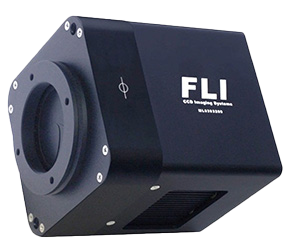
LabVIEW FLI Driver
Quickly integrate Finger Lakes Instrumentation (FLI) devices.
LabVIEW FLI Driver
The LabVIEW FLI Driver gives you every available FLI function for cameras, filter wheels, and focusers in the MicroLine, ProLine, Hyperion, CFW, and CL Filter Wheels categories. With full documentation and application examples which run out of the box, you'll be up and running quickly. It even has a simulation mode so you can test your application even when your FLI devices are unavailable.
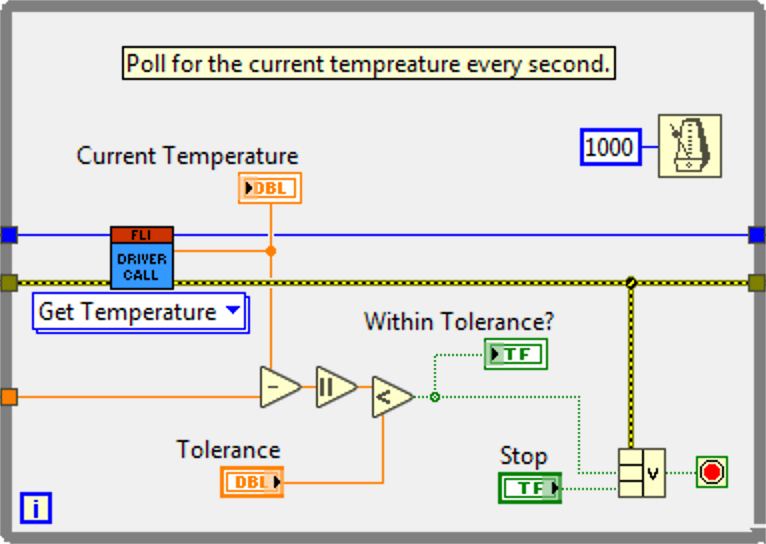
FLI Functions
Every Exposed Function To Build Your Application
Camera
- Cancel Exposure
- Lock Device
- Configure I/O
- Unlock Device
- Control BG Flush
- Set Debug Level
- Control Shutter
- Write IO Port
- Expose Frame
- Grab Frame
- Grab Row
- Grab Video Frame
- Flush Row
- Read IO Port
- Get Array Area
- Set Bit Depth
- Get Camera Mode
- Set Camera Mode
- Get Camera Md Str
- Set Frame Type
- Get Device Status
- Set H Bin
- Get Exposure Status
- Set V Bin
- Get Pixel Size
- Set N Flushes
- Get Temperature
- Set Temperature
- Get Visible Area
- Set Image Area
- Get H Bin
- Get V Bin
- Wait for Exposure
- Wait for Temperature
- Start Video Mode
- Stop Video Mode
Device Handle
- Open
- List Devices
- Close
- List First
- Create List
- List Next
- Delete List
- Free List
Utility
- Get Model
- Lock Device
- Get FW Revision
- Unlock Device
- Get HW Revision
- Set Debug Level
- Get Lib Version
FITS Files
- Save 2D to FITS
- Get FITS Header Cache
- Add FITS Keyword
- Remove FITS Keyword
- Convert Keyword
Filter Wheel
- Get Filter Count
- Set Filter Position
- Get Filter Position
Focuser
- Home Focuser
- Read Temperature
- Get Focuser Extent
Motor
- Step Motor
- Get Stepper Position
- Step Motor Async
- Get Steps Remaining
Helper
- Configure Exposure
- Simulate Exposure
- Transform Coords
- Module Wrapper
Internal
- Set DAC
- USB Bulk IO
- Get Cooler Power